Ozil AI Video vs Manual Editing: An Honest Comparison
 Ozilai Team
AI generation from one photo costs credits and minutes; manual editing gives frame-accurate control but needs real footage, software and practice.
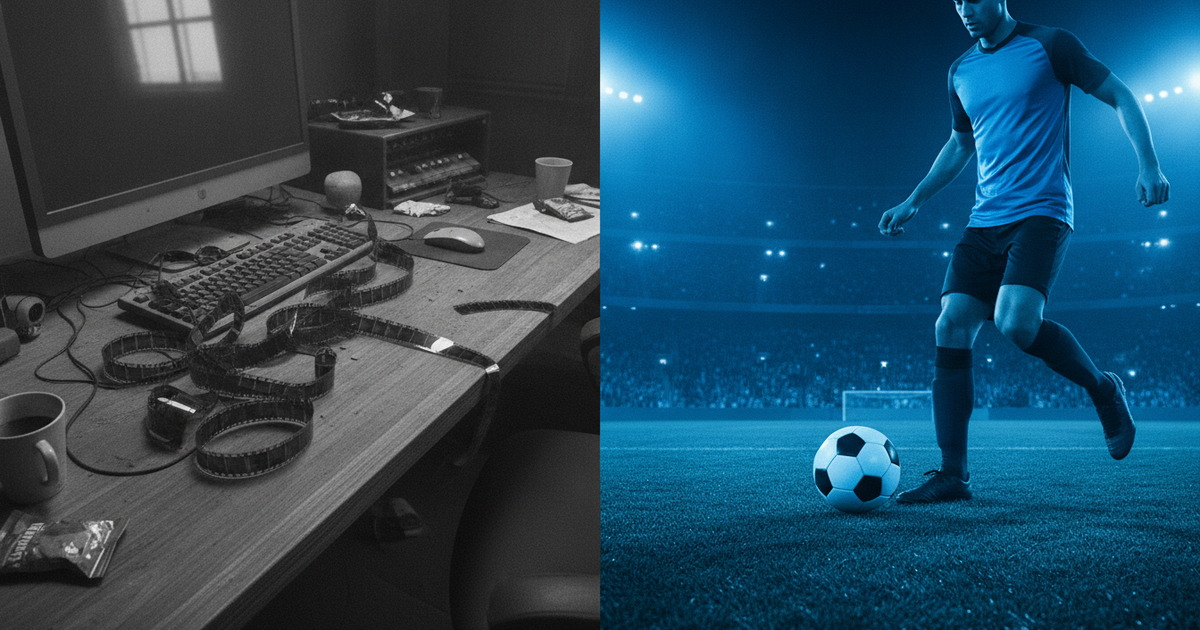
If you want a clip of a friend scoring Özil's famous 2016 goal, AI generation from one photo is the faster and cheaper route — a standard 720p, 12-second render costs 10 credits and takes minutes of your time, not hours. If you want the actual broadcast moment, frame-accurate and legal to publish, you need to edit real footage you have the rights to use. These are different products solving different problems, and most of the confusion comes from expecting one to do the other's job. This page lays out where each approach wins, honestly, including the five jobs manual editing still does better.
Gere o seu aqui
Escolha uma foto clara e bem iluminada da pessoa a quem o gol pertence.
Carregue uma foto para continuar.
Ao gerar, você confirma que tem permissão para usar esta foto.
Seu clipe aparece aqui
Uma renderização com as configurações padrão custa 30 créditos.
What Each Route Actually Is
AI generation starts from a photo you already own — a phone snap of a face — and a written description of the move. The model invents the stadium, the ball, the run, the goalkeeper, and the finish, keeping your subject's face consistent across the clip. There is no footage involved and nothing to cut; the output arrives finished and you post it. The cost is paid in credits: on Ozilai.video one standard generation is 720p, 12 seconds, 10 credits.
Manual editing starts from footage. Somebody shot a football match — a broadcast, a highlight, a phone video from the touchline — and your job is to find the right few seconds, cut them precisely, grade them, and export. Nothing is invented, which is exactly the point: what you see on screen is what the camera recorded, and every frame is exactly where you put it.
The two routes are not competitors in the way a car and a bicycle are. They answer different questions, and the practical decision is usually about which question you actually have.
The Decision Table: Task by Task
| Task | AI generation (photo → clip) | Manual edit (real footage) | Which wins | | --------------------------------------------- | ------------------------------------------------- | ---------------------------------------------------- | -------------- | | Put a friend's face into the goal | Upload one photo, describe four beats, generate | Requires footage of the friend, which does not exist | AI generation | | Reproduce a specific broadcast moment | Impossible — the scene is invented | Trim to the exact frame on the timeline | Manual editing | | Time from "I have an idea" to a postable clip | Minutes, plus a render job | Hours, after locating and importing footage | AI generation | | Cost of one 12-second clip | 10 credits at 720p, 30 at 1080p | Software cost plus your editing time | AI generation | | Frame-accurate timing of the chip | Approximate; you steer with prompt wording | Every frame placed by hand | Manual editing | | Adding captions, music, and branding | Add after export, in a separate tool | Built into the editor | Manual editing | | Fixing a render that got the move wrong | Regenerate with one change; it can still miss | Re-cut; the footage is not the variable | Manual editing | | Consistency across a series of clips | Reuse the photo and prompt, accept drift | Colour and titles stay locked | Manual editing | | Working with footage you already have | Nothing to generate from; start from text instead | This is the normal workflow | Manual editing |
Read the table left to right and the pattern is clear: generation wins when the content does not exist and must be imagined, and editing wins when the content exists and must be controlled.
The Real Cost Comparison
Neither route is expensive in money, and that is why the money argument usually settles nothing. A standard generation here is 10 credits at 720p, 12 seconds; the studio default is 1080p, 12 seconds, 30 credits. Plans run from $9.90 a month for 20 credits up to $79.90 for 500, with yearly options from $79 for 240 credits and one-time packs that never expire — the full breakdown sits on the pricing page. A failed render is refunded automatically, so an error costs you a retry rather than a credit.
Editing software, by contrast, ranges from free to a monthly subscription, and the real cost is not the licence. It is the hours: sourcing footage, learning the timeline, cutting, grading, exporting, discovering the export was wrong, exporting again. For a one-off 12-second joke, that is the dominant cost, and it dwarfs any credit price. For a channel that publishes weekly, those hours are amortised across months and the calculus flips.
So the honest summary is: generation is cheap in money and expensive in control; editing is cheap in control and expensive in time. Pick the cost you can afford to pay.
When Generation Is the Right Call
Generation is right when the asset does not exist and never will. There is no broadcast footage of your colleague scoring in the Champions League; the only way that clip exists is if a model invents it around their face. The same is true for a photo of a friend who has never played, a dog, or a mascot — anything where the premise is impossible by construction.
It is also right when speed matters more than precision. A trend has a shelf life; if the joke is worth making this week, a workflow that produces a clip in an evening beats one that produces a perfect clip next month. And it is right when you have no editing skill and no appetite to acquire any. Image-to-video asks you to make two decisions — which photo, which prompt — and both are learnable in an afternoon.
What generation cannot do
It cannot give you frame-accurate control. You describe the move in words and the model interprets; if it decides the keeper should be two metres further left, you cannot drag him. It cannot reproduce a specific licensed broadcast, because a generation is not a recording. And it cannot guarantee identity across a long or complex shot: the face holds best in a tight, well-lit, front-facing photo, and drifts when the source is wide or dim. Those are structural limits of the approach, not flaws in one tool.
The Five Jobs Manual Editing Still Does Better
- Reproducing real broadcast footage. If the requirement is the actual televised moment, no generator can supply it. A timeline gives you the exact frame the ball leaves the boot, and a generation can only approximate the choreography. Use the four-beat prompt guide to get close to the move, but accept that "close" is the ceiling.
- Frame-accurate timing and match cuts. Cutting a goal to a musical beat, holding a shot for exactly eleven frames, or matching a cut on the strike of the ball are all timeline operations. In generation you can ask for a rhythm in the prompt, but you cannot place anything to the frame; you regenerate and hope, which is a different craft.
- Colour grading and stabilising existing footage. Real footage arrives with real problems — mixed lighting, camera shake, an overexposed crowd. Grading, noise reduction, and stabilisation are mature, precise tools. A generation has no source to correct; it has its own invented look, and you either like it or you steer it with words on the next pass.
- Text, music, and branding in one place. Titles, captions, licensed music beds, logos, and end cards are all editor-native. Generation produces the picture and nothing else, so a generation workflow means exporting to a second tool to finish the job — which is fine, but it is a second tool.
- Consistency across a long project. In an edit, the same LUT, the same title font, and the same intro run across every clip in a series, and they stay identical. Generated clips drift subtly from one render to the next; a face can shift between attempts even with the same photo and prompt, which makes a series harder to keep visually uniform.
That list is not a knock on generation. It is simply what each method is built for. The professional answer for most people is both: generate the impossible shot, then finish it in an editor with captions and music.
A Workflow That Uses Both
- Decide whether the asset exists. If footage of this person scoring already exists and you have the rights, edit it. If it does not, generate it.
- Generate the shot. Pick a head-and-shoulders photo, write the four beats plus one camera instruction, and run a standard 720p, 12-second generation for 10 credits.
- Review against the beats, not against your hopes. Check the chip, the keeper, the defenders, and the finish in order, then fix the single biggest miss and regenerate.
- Export the MP4 and take it into your editor. Add the caption that names the trend, a music bed, and any branding.
- Crop to the destination. Vertical 9:16 for short-form; keep the landscape master for anything else.
- Keep the prompt with the file. If a later clip needs to look like this one, the prompt is the only reproducible part of the recipe — the photo is the other half.
If you want the generation half spelled out end to end, the main walkthrough covers photo selection and prompt structure in detail, and the trend explainer covers why the format spread in the first place.
FAQ
Can I just edit a real Özil clip instead of generating one?
You can edit footage you have the rights to use, and many people do exactly that for analysis and commentary. What you cannot do is take a broadcast clip and put your friend's face into it — that is both an editing miracle and a rights problem. Generation sidesteps both by inventing the whole scene, which is why the trend exists in this form.
Is AI generation cheaper than manual editing?
In money, almost always for a one-off: 10 credits for a standard 720p, 12-second clip against the cost of software plus your time. In time, only if you would have needed to source footage from scratch. If you already shoot and cut video every week, the marginal cost of one more edit is small and the comparison is much closer than the headline suggests.
Which looks more convincing?
A real broadcast looks real because it is real — nothing generated matches frame-level detail on a face at distance. But the trend is not judged as a forgery; it is judged as a joke. Viewers accept an invented stadium if the face is right and the chip is unmistakable, and they reject a beautiful clip where the face drifts into a stranger. Convincing, in this format, means recognisable.
Do I need editing software at all if I generate?
No. The output is a finished clip and you can post it directly. An editor becomes useful when you want captions, a music bed, or a tighter cut — all optional polish. Cropping to vertical is a one-tap job in the camera roll on both iOS and Android.
What happens if a generation fails?
On this site the credits are refunded automatically, so a failure costs you a retry rather than money. That matters more than it sounds: when failures are free to absorb, you can afford to iterate, and iterating is how a generated clip gets from "nearly right" to postable.
Can manual editing fix a bad generation?
Up to a point. You can trim a generated clip, stabilise it, grade it, crop it, and hide a weak opening second behind a title. What you cannot do is repair a missing beat or a melted face — those are generation-side problems, and the fix is a new render with one variable changed. Edit the picture; regenerate the performance.