Recreating the Ludogorets Chip: Ozil AI Video Steps
 Ozilai Team
How to recreate Ozil's Ludogorets chip in a 12-second AI clip: the four beats, the prompt lines that land each one, and what to cut to fix it.
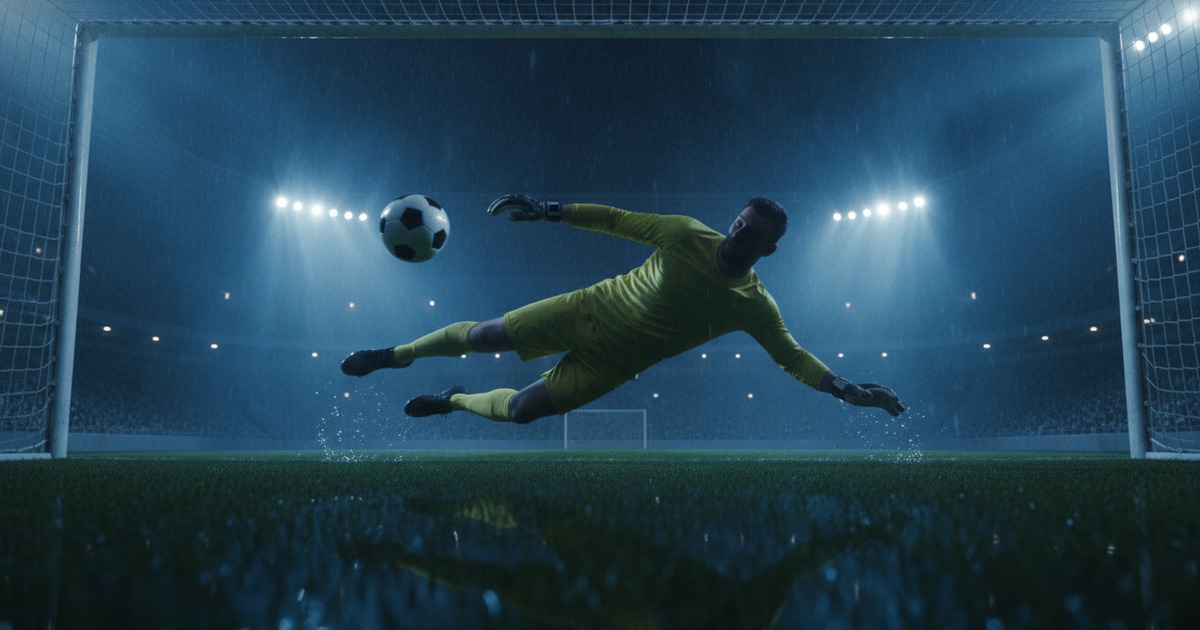
Recreating the Ludogorets chip means describing four separate moments in the right order — the long ball over the top, the chip over the onrushing goalkeeper, the two defenders beaten as they slide in, and the finish into an empty net — and then generating one short clip that contains all four. On Ozilai.video you do this from a single photo: standard generation is 720p, 12 seconds, 10 credits, and the beat that decides whether the clip reads as the trend is the chip over the keeper. Get that one right and the rest is polish.
Genera il tuo qui
Scegli una foto chiara e ben illuminata della persona a cui appartiene il gol.
Carica una foto per continuare.
Generando, confermi di avere il permesso di usare questa foto.
Il tuo clip appare qui
Un rendering con le impostazioni predefinite costa 30 crediti.
What Happened on 2 November 2016
The move is short enough to describe in one breath, which is why it works as a template. Arsenal are playing Ludogorets in the Champions League. Mohamed Elneny lifts the ball over the top of the defence. Mesut Özil runs onto it in behind, and Milan Borjan, the Ludogorets goalkeeper, charges out of his area to close the angle. Özil chips the ball over the onrushing keeper, keeps running, glides past two defenders who have slid in desperately on the edge of the box, and passes the ball into the empty net with the goalkeeper stranded behind him.
Four distinct actions, in a fixed sequence, in about five seconds of real football. That structure is a gift for prompt writing: you are not inventing a scene, you are recreating a known choreography that your viewers already recognise. Every instruction below exists to make the model reproduce those four beats faithfully rather than improvising a generic striker run.
The Four Beats, and Why the Order Matters
| Beat | What happened in 2016 | Prompt line that lands it | Failure mode if you are vague | | --------------------------- | ----------------------------------------------------- | ------------------------------------------------------------------------- | ----------------------------------------------------------------- | | 1. The long ball | Elneny lifts a pass over the last defender into space | "a lofted long ball is played over the top of the defence" | A ground pass, or a ball played sideways; the run never starts | | 2. The chip over the keeper | Borjan rushes out, Özil lifts the ball over him | "the onrushing goalkeeper dives out, the striker lifts the ball over him" | The keeper is missing from frame, or the ball stays on the ground | | 3. The two defenders beaten | Two defenders slide in and the ball goes past them | "two defenders slide in to block and the ball is lifted past them" | The defenders vanish, or become a crowd of limbs | | 4. The finish | Özil rolls the ball into the empty net | "the ball is rolled into the empty net while the goalkeeper recovers" | A shot into a keeper, or no goal at all |
Order matters because the model generates forward. Each clause sets the position of the striker, the ball, and the goalkeeper for the beat that follows. A chip cannot happen if the keeper was never described as coming out, and the empty net in beat four is only empty because beat two sent the keeper to the ground. Write the beats as a sequence of causes, not as a list of ideas.
Say who does what, once
One subject, one verb per clause is the safest structure. "The striker runs onto a lofted ball, chips the onrushing goalkeeper, and rolls it in" gives the model a clear chain of actions. Something like "everyone converges as the defenders slide and the keeper scrambles and the ball loops" gives it four bodies and no choreography, and that is how you get extra limbs and a ball that teleports. Keep the sentence plain: name the striker, name the goalkeeper, name the defenders, and let each beat complete before the next begins.
Describing Each Beat in a Prompt
Start from the shape used in the main walkthrough and adjust the wording beat by beat:
A football broadcast highlight. A lone striker runs onto a lofted
long ball played over the top of the defence, the onrushing
goalkeeper rushes out and the striker chips the ball over him,
two defenders slide in and the ball is lifted past them, then
rolled into the empty net. Long lens from the halfway line,
camera tracks left to right, floodlit night stadium.
Beat 1 needs two pieces of information: that the pass is lofted, and that it goes over the last defender rather than to a teammate's feet. Without both, you get a midfield passing drill.
Beat 2 needs the goalkeeper named as a person who is moving toward the striker. The word "onrushing" does the work here — it tells the model the keeper is leaving his line, which is what makes the chip necessary rather than decorative.
Beat 3 needs the number two, and it needs the verb "slide". "Two defenders slide in" is a body configuration, not just a count. If you drop the number, the model may render a single defender; if you drop "slide", you may get a crowd standing flat-footed.
Beat 4 needs the word "empty". The finish only reads as a finish if the net is visibly unguarded, so tell the model the goalkeeper is recovering behind the play.
Then add exactly one camera instruction. "Long lens from the halfway line, camera tracks left to right" mirrors broadcast coverage and keeps the goalkeeper in frame — which is the whole point, because you need to see what the ball goes over. Two camera instructions fight each other, so pick one and leave it alone.
The Beat the Model Gets Wrong Most Often
It is the chip. Beat two is the hardest for a video model because it puts two independently moving subjects — a striker and a goalkeeper — in the same frame, converging on the same point, with the ball in the air between them. Models handle one moving subject well and lose confidence with two, and the symptoms are recognisable:
- The goalkeeper never appears, so the striker simply runs past an imaginary obstacle and the ball stays on the ground.
- The keeper appears but the ball drops early, producing a dribble rather than a chip.
- Contact: the striker and the keeper merge into a single impossible body for a frame or two.
- The chip happens off-frame, because the camera instruction was too tight to hold both players.
A missing chip is fatal. The rest of the clip can be approximate and the joke still lands; without the ball going over the keeper, there is no Özil goal, just a striker running at goal.
What to Cut to Fix It
The instinct when a render misses is to add detail. Do the opposite — subtract one beat, keep everything else, and regenerate. Simultaneous bodies are the variable that breaks the chip, and the sliding defenders are the least essential of the four beats, because a viewer forgives a goal finished with nobody left to beat. So the fix is: cut the two defenders from the prompt entirely, keep the long ball, the keeper, and the finish, and add the defenders back once the chip is clean.
Concretely, trim the prompt to "a striker runs onto a lofted long ball, the onrushing goalkeeper rushes out and the striker chips the ball over him, then rolls the ball into the empty net." That removes two moving bodies from the hardest three seconds of the clip and gives the model room to spend its capacity on the one action that matters. If the chip still fails, cut the long ball next and open the clip with the striker already in stride — you can always prepend context later, but you cannot repair a missing chip.
One more rule from the prompt guide: change one thing per attempt. If you cut the defenders, regenerate with the same photo. Swapping photo and prompt at once tells you nothing about which change helped.
Why 12 Seconds Is the Right Length
Four beats need room to be read. Each of the first three takes roughly two to three seconds to register — the ball travelling, the keeper closing, the defenders going to ground — and the finish needs another second or two. That lands naturally between eight and twelve seconds.
Twelve is also the length that the standard generation produces: 720p, 12 seconds, 10 credits, with the studio default at 1080p, 12 seconds, 30 credits. So the correct length and the available length coincide on this site, and you do not pay for a longer render than the move needs. In practice, twelve seconds gives you a little slack at the top of the clip — enough runway for the pass to feel like a pass — and that slack is what separates a readable recreation from a hurried one.
There is a distribution reason too. Twelve seconds sits comfortably inside the maximum length on every short-form surface, so one export drops onto TikTok, Reels, and Shorts without trimming. Short is also better for a joke: the trend is a punchline, and a clip that loops cleanly gets watched twice.
The Six-Step Recreation
- Crop the photo first. Head and shoulders, one subject, even light, sharp focus. This is the highest-leverage minute of the process, because the face is what the model anchors identity to while it invents the goal around it.
- Write beat one. A lofted long ball played over the top of the defence. Keep it to one clause with one subject.
- Write beat two in its own clause. The onrushing goalkeeper rushes out; the striker chips the ball over him. This is the beat you will protect at the cost of every other.
- Write beats three and four. Two defenders slide in and the ball is lifted past them; then the ball is rolled into the empty net as the goalkeeper recovers.
- Add one camera instruction and pick your settings. A broadcast long lens tracking left to right keeps both striker and goalkeeper in frame. Standard 720p, 12 seconds is 10 credits; 1080p, 12 seconds is 30.
- Generate, then diagnose in beat order. Long ball, chip, defenders, finish. Fix only the biggest miss, change one variable, and regenerate. Offsets, plans, and credit packs are on the pricing page if you need more attempts.
If you want the same structure applied to other photos and other moves, photo-to-football-highlight shows how far the format stretches once this goal is working.
FAQ
Why does my clip have no goalkeeper in it?
Almost always because the beat two clause was too vague. The model needs a person to be told, explicitly, that someone is rushing out — the word "onrushing" before "goalkeeper" does most of the work. If the keeper still disappears, your camera instruction is probably too tight to hold both bodies; switch to a long-lens description that explicitly keeps the goalkeeper in frame.
Should I generate the defenders in the same pass?
Only after the chip works. Two defenders sliding in adds two moving bodies to the busiest moment of the clip, and the model will often sacrifice the chip to draw them. Generate with the long ball, the keeper, and the finish first, confirm the chip is clean, then add the defenders back as a single extra clause.
Can I make the clip longer than 12 seconds?
You can, but there is no reason to for this goal. Four beats read in about eight to twelve seconds, and padding the clip past that dilutes the punchline and risks the model inventing filler between beats. The standard 720p, 12-second generation at 10 credits is the right unit of work.
What if the face changes during the clip?
Identity drift points at the photo, not the prompt. Crop tighter onto the head and shoulders, use a brighter and sharper image, and make sure only one face appears in the frame. A wide or dim photo gives the model a weak anchor, and it will lose the likeness a few seconds in no matter how good the prompt is.
Is one generation usually enough?
Rarely, and that is normal. A comfortable workflow is three attempts: one to see how the model reads your photo, one after cutting the defenders or fixing the biggest miss, and one to polish the camera. At 10 credits a standard generation, that is 30 credits total — and a failed render is refunded automatically, so an error costs you a retry rather than a credit.